nagitabet Mobile App
Most of our users access nagitabet on their phone — whether that's installing our Android app, opening the browser on iOS, or using a web shortcut on the home screen. Mobile-first design means faster login, quicker deposits via DANA or e-wallet, and real-time notifications about your withdrawals and account activity. We've optimized every screen for thumb navigation and low-data usage, so you stay connected even on slower networks.

- DownloadAPK
- LoginOTP Verification
- SHA256 Match
- Update
Our app handles all the same games and markets as the desktop version: slots like Aviator and Sweet Bonanza, live-dealer tables with roulette and baccarat, football coverage including Liga 1 and Piala Indonesia, and esports markets for Mobile Legends and Free Fire. One account, one balance, seamless switching between devices. Push notifications alert you to successful withdrawals, login attempts, and promotion updates — you control which notifications you receive.
This page walks through installation on Android and iOS, explains the differences between app and browser access, and covers account security and data handling on mobile. Whether you're in Jakarta, Surabaya, Bandung, or Medan, our app works the same way and protects your account with the same encryption standards as the desktop platform.
Three ways to access nagitabet on your phone
We support three installation paths: Android APK for direct installation, iOS browser access, and a web shortcut for any phone. Each has strengths depending on your device and preferences. Android users get our native app with push notifications and offline caching. iOS users access us via browser with an option to save a home-screen shortcut. Web shortcuts work on any phone and update automatically without re-installation.

How to install and set up nagitabet on Android
Installation takes less than two minutes. Here are the four main steps:
- Download the APK: Visit our Android download link and save the APK file to your phone. Your browser will show a warning; this is normal for apps outside Google Play. The file is signed with our security certificate.
- Enable unknown sources: Go to Settings → Security → Unknown Sources (or "Allow apps from unknown sources" on newer Android versions) and toggle it on. This permits installation of apps not from the Play Store.
- Install the app: Open your file manager, find the nagitabet APK, and tap it. Follow the on-screen prompts to complete installation. Grant permissions for notifications, camera (if needed for account verification photos), and storage.
- Create or log in to your account: Open the app, create a new account with your username and email, or sign in if you already have one. Verify your email and set your password. You're now ready to deposit and play.
Why "unknown sources" is safe here
Our APK is signed with our unique security certificate, which your Android device verifies automatically. This proves the app comes from nagitabet and hasn't been tampered with. Enabling unknown sources just removes the restriction that requires apps to come only from Google Play — it doesn't disable security checks.
Accessing nagitabet on iPhone and iPad
iOS doesn't allow app sideloading the way Android does. Instead, we provide full access through Safari or any mobile browser. The web version is optimized for touch and loads quickly on iPhone and iPad. You can also add a home-screen shortcut so nagitabet opens like an app.
To add a home-screen shortcut: open Safari, visit nagitabet.bet, tap the Share button (up arrow), scroll down to "Add to Home Screen," choose a name and icon, and tap "Add." Your iPhone now has a nagitabet icon on the home screen. Tapping it opens our platform directly without showing the Safari address bar.
Push notifications on iOS work through the web app — you'll receive alerts about withdrawals, login attempts, and promotions just like on Android. Login, deposits (via DANA, e-wallet, mobile banking, local payment, online payment, or bank transfer), and gameplay work identically on iPhone and Android. Your account and balance sync across all devices.
Android app versus browser — which should you use?
Our Android app offers offline caching (some content loads even without internet), faster launch times, and persistent push notifications. The browser version works on any device and updates automatically without you needing to reinstall. If you use nagitabet daily on Android, the app is faster. If you switch devices often or prefer not to manage APK updates, the browser or web shortcut is simpler.
Both the app and browser connect to the same account, balance, and game library. Switching between them is seamless — you log in once, and your session persists across devices. Push notification settings are the same whether you use app or web. Choose what fits your routine; you're not locked into one path.

What devices and Android versions does nagitabet support?
Our Android app runs on Android 7.0 and newer. Most phones sold in the past six years meet this requirement. On iOS, we support Safari on iOS 12 and newer (iPhone 5s and later). If your device is older, the browser version may work, but we recommend upgrading to a newer OS for security and stability.
Our app is designed for phones and tablets. Landscape mode adjusts automatically for larger screens. If you have an older device with limited storage, the APK file is lightweight and won't consume excessive space. Check your available storage before installing; we recommend at least 100 MB free.
Troubleshooting common installation and login issues
If Android blocks installation with a security warning, check that you've enabled unknown sources in Settings. If the APK won't download, your browser may have restrictions — try a different browser or mobile device management settings. Certificate trust errors are rare but happen if your device clock is far off; set the date and time correctly and try again.
If you can't log in after installation, clear your browser cache and cookies (go to Settings → Apps → [your browser] → Storage → Clear Cache), then try again. If two-factor authentication is enabled on your account, you'll need to enter a code sent to your phone — check your SMS. If you've forgotten your password, use the "Forgot password?" link to reset it via email.
If the app crashes on startup, uninstall it completely (Settings → Apps → nagitabet → Uninstall), restart your phone, then reinstall the latest APK. If it still crashes, your Android version may be incompatible — check that you have Android 7.0 or newer. Contact our support team via email or in-app chat if problems persist; we respond during business hours.
Quick fixes
- Can't install APK? Enable unknown sources in Settings → Security
- Won't log in? Clear browser cache and reset your password
- App crashes? Uninstall, restart phone, and reinstall
- Slow connection? Try disabling auto-play for videos in your account settings
App permissions, data security, and your account on nagitabet
Our Android app requests permissions for notifications (to alert you about withdrawals and promotions), camera (for optional identity verification photos), and storage (to cache game data locally). You can deny camera permission if you don't want to upload photos — identity verification via email works too. Notification permission is optional; disable it if you prefer not to receive alerts.
All communication between the app and our servers uses SSL encryption — the same standard that banks use. Your login credentials are never stored in plain text, only as a secure hash. Your payment information (e-wallet, mobile banking, local payment, online payment, e-wallet, bank details) is encrypted and never shared with third parties unless required by law.
If you lose your phone, sign in to nagitabet from another device and change your password immediately. This logs out all other sessions and locks anyone who has your old phone out of your account. We recommend enabling two-factor authentication (a code sent to your SMS) for extra security. Once enabled, anyone trying to log in needs both your password and a time-based code sent to your phone.
Why mobile is our primary platform
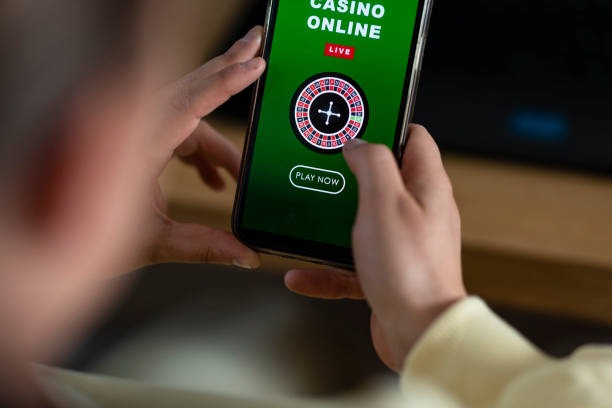
Over non-specific info of our users play on mobile. This means we optimize for touch, fast loading, and low data use. Games launch in seconds even on 4G, push notifications keep you informed without nagging, and your account syncs instantly across all your devices. Desktop access works, but it's secondary — mobile is where nagitabet shines.
When you deposit via mobile banking or local payment on mobile, you're redirected to the app or website. Confirmation happens instantly. Your balance updates in real time. Live football markets update score-by-score. Live blackjack streams adjust to your connection speed. All of this is built for phones first, desktops second.
Download the app, log in, and you're ready to access slots, live tables, Liga 1 matches, and esports markets anytime, anywhere. Push notifications alert you to successful withdrawals so you know your money is on the way back to your bank account. Your account is encrypted, your payment methods are verified, and your data is never sold or shared outside nagitabet.